| Notepad++ 6 Released |
| Written by Ian Elliot | |||
| Monday, 26 March 2012 | |||
|
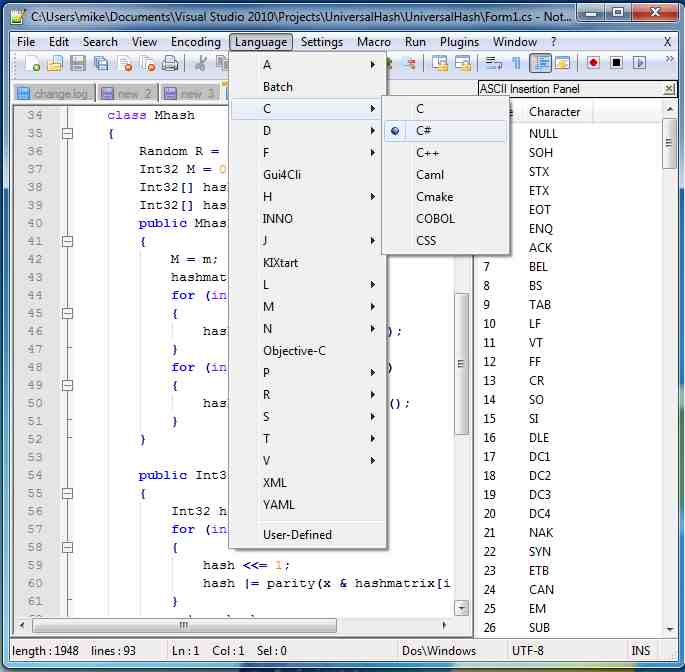
Today sees a major new version of Notepad++, the free text editor and source code editor for Windows. Version 6 has three new plus points for developers - but this adds to a long list of welcome features. Notepad++ offers the advantage over the built-in Windows text editor, Notepad, of tabbed editing, allowing developers to work with multiple open files. It supports syntax highlighting and syntax folding for over 50 programming, scripting, and markup languages, including HTML. The list of languages that it natively supports is too long to include, suffice it to say that it's difficult to find a language it doesn't support It attempts to automatically detect the language that a given file uses, using a modifiable list of file extension bindings but you can also set the language manually. Users may also manually set the current language, overriding the extension's default language.
Its existing features include autocompletion for a subset of the API of some programming languages; smart highlighting; brace and indent highlighting; tools for line sorting, text encoding conversion, text folding; and macro recording and execution. The new features in Version 6 are:
Notepad++ also supports plug-ins, allowing developers to write extensions for it. Version 6 has five included plug-ins:Spell Checker v1.3.3; NppFTP 0.24.1; NppExport v0.2.8; Plugin Manager 1.0.8; Converter 3.0. You can download Notepad ++ 6 in a variety of options including its source code.
More Information
Comments
or email your comment to: comments@i-programmer.info
To be informed about new articles on I Programmer, subscribe to the RSS feed, follow us on Google+, Twitter, Linkedin or Facebook or sign up for our weekly newsletter.

|
|||
| Last Updated ( Monday, 26 March 2012 ) |