| Web IDE The Easiest Way To Program Raspberry Pi |
| Written by Harry Fairhead |
| Saturday, 19 January 2013 |
|
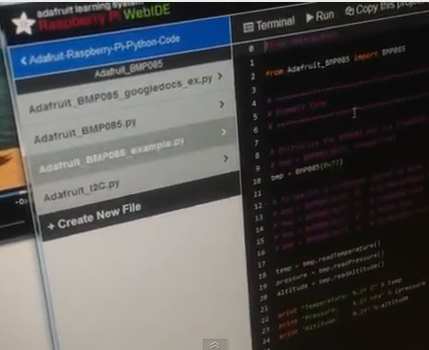
The Raspberry Pi Web IDE, which Adafruit announced a few weeks ago, is up and running. and there is an easy-to-watch video to get you started with using it. With over a million sold, Raspberry Pi must be doing something right, but for non-Linux users there is still an initial learning curve that is perhaps too steep. Even when you do get into the OS and find your way to the Python system, the environment is a bit rough and ready for modern softies - er I mean programmers.
The Adafruit Web IDE brings together a number of existing tools into an easy-to-use and almost luxurious development environment. All you need is a web browser and you can get started programming in Python. A nice web-based editor provides all the modern facilities, including backup to Git and BitBucket. In fact BitBucket is essential because it provides the storage that the system uses for your code. The Python Visualizer ( See Python Run - Free Visualization Tool), which is used by many Python courses, is also built in, which means you can view what your code is doing at an unusually deep level - perhaps too deep for the complete beginner. There is also a standard debugger. The only barrier is getting the necessary code installed on the Pi in the first place. Despite Adafruit's best efforts, mention of PuTTY sets red lights flashing for many users. This may be unwarranted, but the installation still sounds complicated. If only there was a simple, single-click, web-based setup. However, once setup you can develop your Python code and run it on the Pi very easily.
Apart from the installation it all looks too easy to ignore. Adafruit promises more video tutorials to keep you learning in the near future.
More InformationAdafruit Learning System Raspberry Pi WebIDE Related ArticlesRaspberry Pi Educational Manual Released Raspberry Pi Gets An App Store See Python Run - Free Visualization Tool Raspberry Pi being manufactured Raspberry Pi Goes Into Production Raspberry Pi or Programming - What shall we teach the children? MagPi - A Raspberry Pi Magazine Reaches Issue 3 To be informed about new articles on I Programmer, install the I Programmer Toolbar, subscribe to the RSS feed, follow us on, Twitter, Facebook, Google+ or Linkedin, or sign up for our weekly newsletter.
Comments
or email your comment to: comments@i-programmer.info

|
| Last Updated ( Saturday, 19 January 2013 ) |