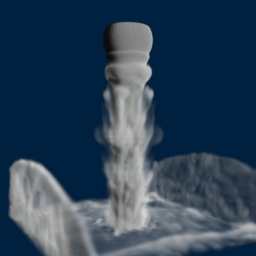
| OpenGL 3D fluid simulation (video) |
| Sunday, 30 January 2011 |
|
Here is an OpenGL 3D simulation that looks like liquid nitrogen flowing out of a container. It is in C/C+ and you can download the code and try it out.
We covered the work of Philip Rideout in a previous news item OpenGL GPU Smoke simulation. That was a 2D simulation - the latest project is a 3D fluid simulation. You can see the result in the video below but the important point is that the code that produces the video runs at rates that are fast enough to be interactive on a GeForce GTS 450 - which is not a top of the range GPU card.
3D Fluid Simulation with OpenGL from Philip Rideout on Vimeo. Of course the attraction of this demo is that you can download the code and try it out. You need first to download CMake from: http://www.cmake.org/cmake/resources/software.html Run the installer and, for an easy life let it modify the Path so that you can run cmake from anywhere. Next download the code (mostly C with some C++) from: http://prideout.net/blog/?p=66where you will also find descriptions of how the change from 2D to 3D was made. Unzip the download and in the unzip directory create a new folder called Build. Then type: cmake .. -G "Visual Studio 10" When the make is complete you can then load the project specified by Fluid3D.sln or simply type Fluid3D.sln at the command prompt. When you see the project in Visual Studio set Fluid3D to be the startup project and run to look at and play with the code.
I have to add that my previously very satisfactory graphics card only managed to run the simulation at around 1 or 2 frames per second which made it almost non-interactive. If nothing else this is a good test of a graphics card - time for an upgrade in my case. Other relevant articles:GPU brings molecular modeling to the desktop EC2 GPU cracks passwords on the cheap Amazon extends options for high performance cloud computing Custom Bitmap Effects - Getting started

<ASIN:0321228324> <ASIN:0321335597> <ASIN:0321515269> |
| Last Updated ( Sunday, 30 January 2011 ) |