| Android Studio 1.4 Goes Vector |
| Written by Mike James | |||
| Thursday, 01 October 2015 | |||
|
Decimal point upgrades are generally not game changing, but there is a new feature in Android Studio 1.4 - vector assets. What's this all about?
In a sense vector assets are the most logical way to deal with Android's (indeed the entire mobile world's) major problem - the number of different screen resolutions and pixel densities we have to support. The current solution is to create bitmaps at different resolutions for each screen type you support and, if you don't provide a suitable graphic, the system will scale what you have supplied either up or down to fit. The problem is that you either have a difficult task providing your graphics in so many different resolutions or you put up with the fact that sometimes your app wont look its best.
Vector assets, on the other hand, are resolution-independent. The idea is that vector asset is a program that draws your graphic at whatever resolution the current system supports. Android 1.4 makes it much easier to use vector drawables to create resolution-independent graphics. It only works properly from API 21, Lollipop, but there is a backward compatibility option that will automatically generate all of the bitmaps needed to support previous versions. So if you use vector assets you get the best of all worlds in that when possible the vector asset will be used and where it isn't you still don't have to worry about generating lots of bitmaps.
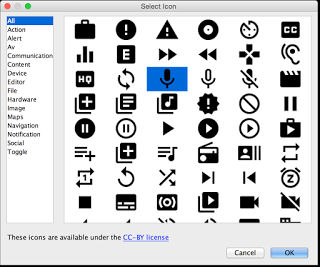
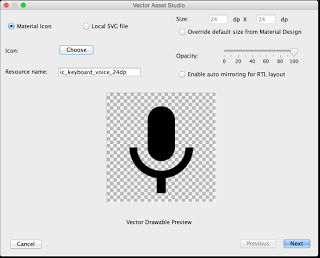
You can use predefined vector drawables in the icon library or you can import SVG graphics - use Inkscape to create them, but keep them simple. A basic editor is provided for simple customization. Watch the video to see how it works:
As well as vector assets there are two other big improvements. First, there is a new theme editor. As the Developer blog says: "We understand that managing your app theme and style can be a bit complex." An understatement if ever there was one. Most programmers either ignore themes or get bogged down very quickly trying to do battle with them. Now things are a little simpler in that we have a Theme Editor. At the moment it is only a start in that you can edit the color scheme and nothing else. A more advanced version is promised in future releases. Secondly, the project templates have been extended to the Android Design Support Library and the AppCompat Support Library. As you might expect there is also support for the two new devices that Google announced recently, the Nexus 5X and 6P. Finally two new monitors have been added to the existing set - GPU and Network - and it is easier to add a Firebase cloud backend to your project.
More InformationRelated ArticlesAndroid Data Binding - Say Goodbye To FindViewById Android M - Still No Name But An SDK Update And NDK Support Google Drops Support For Eclipse - It's All Android Studio Now Android Adventures - Getting Started Creating A UI Android Adventures - Mastering Fragments
To be informed about new articles on I Programmer, install the I Programmer Toolbar, subscribe to the RSS feed, follow us on, Twitter, Facebook, Google+ or Linkedin, or sign up for our weekly newsletter.

Comments
or email your comment to: comments@i-programmer.info
|
|||
| Last Updated ( Thursday, 01 October 2015 ) |