Connect to PostgreSQL database instances, run queries, create and manage connections and more, all from inside VSCode. Just announced, the extension simplifies talking to and managing PostgreSQL databases from the ease of the most popular IDE.
The functionality of the extension is split into four distinct components:
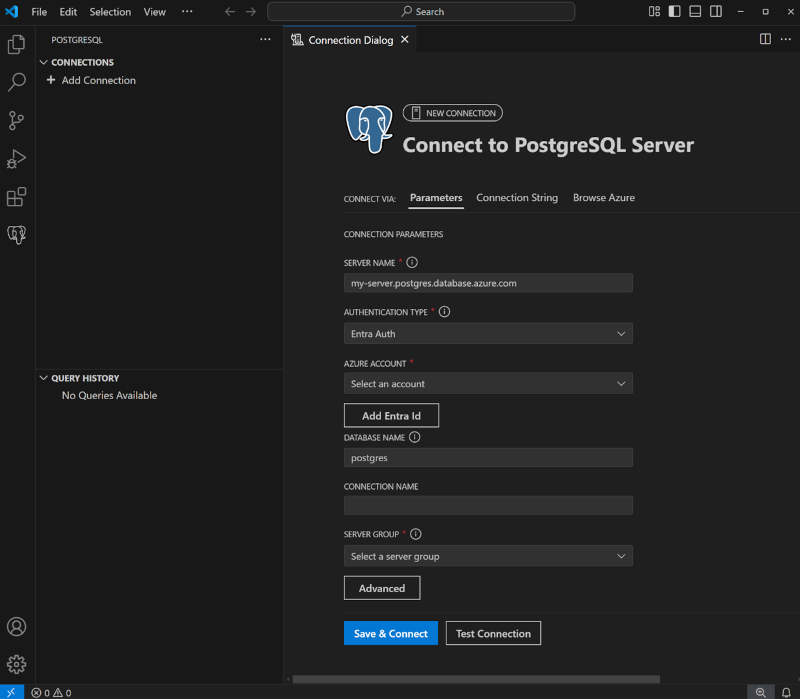
The Connection Manager Connect to local and cloud-hosted PostgreSQL databases; integrates with Microsoft Entra ID authentication.
The Object Explorer View, filter, manage Databse objects, Tables etc. Also supports visualization of database schemas and relationships.
The Query Editor Syntax highlighting, autoformating, Context-aware IntelliSense for autocompletion, and preserving query history.
The Results Viewer Exporting results to various formats.Provides search, filter, and sort options to analyze data efficiently.
In addition we have:
Oracle to Azure Database for PostgreSQL Schema and Application Conversion (Preview) AI-powered automatic conversion of Oracle schema objects—including tables, views, stored procedures, functions, and triggers—into PostgreSQL-compatible equivalents.
Of course, there's GitHub Copilot integration. With Copilot in place you perform AI operations like chatting with your database.
What you will need:
Visual Studio Code installed on your machine
PostgreSQL database installed locally or hosted in the cloud
PostgreSQL extension installed in Visual Studio Code
GitHub Copilot extension
GitHub Copilot Chat extension installed
Azure account for connecting to cloud-hosted databases (optional)
So there you have it. The most popular database hand-in-hand with the most popular IDE. A match made in heaven.
Microsoft has added an AI-powered planning mode to Visual Studio as part of GitHub Copilot's Agent mode. The feature is available in public preview as part of Visual Studio 2022 version 17.14.